


AI is now part of many mobile and web applications. Businesses use it to answer customer questions, recommend products, analyze data, generate content, and automate routine tasks.
But adding an AI feature is more than connecting an app to an AI API. You need to choose the right use case, plan the architecture, protect user data, test AI responses, and control ongoing costs.
If you are planning to build an AI app in 2026, this guide explains the process from the first idea to launch. It also covers AI technologies, architecture, model selection, RAG, development costs, timelines, security, testing, and how to choose a development team.
An AI app is a web or mobile application that uses an AI model or AI-powered service to perform tasks that usually require some level of human judgment or analysis.
Depending on the use case, an AI app may understand text, generate content, analyze images, recognize speech, make predictions, recommend products, or answer questions.
For example:
AI apps do not all use the same technology. Some use ready-made AI APIs, while others use open-source models, retrieval systems, machine learning models, or custom-trained solutions.
The right approach depends on the problem your app needs to solve.
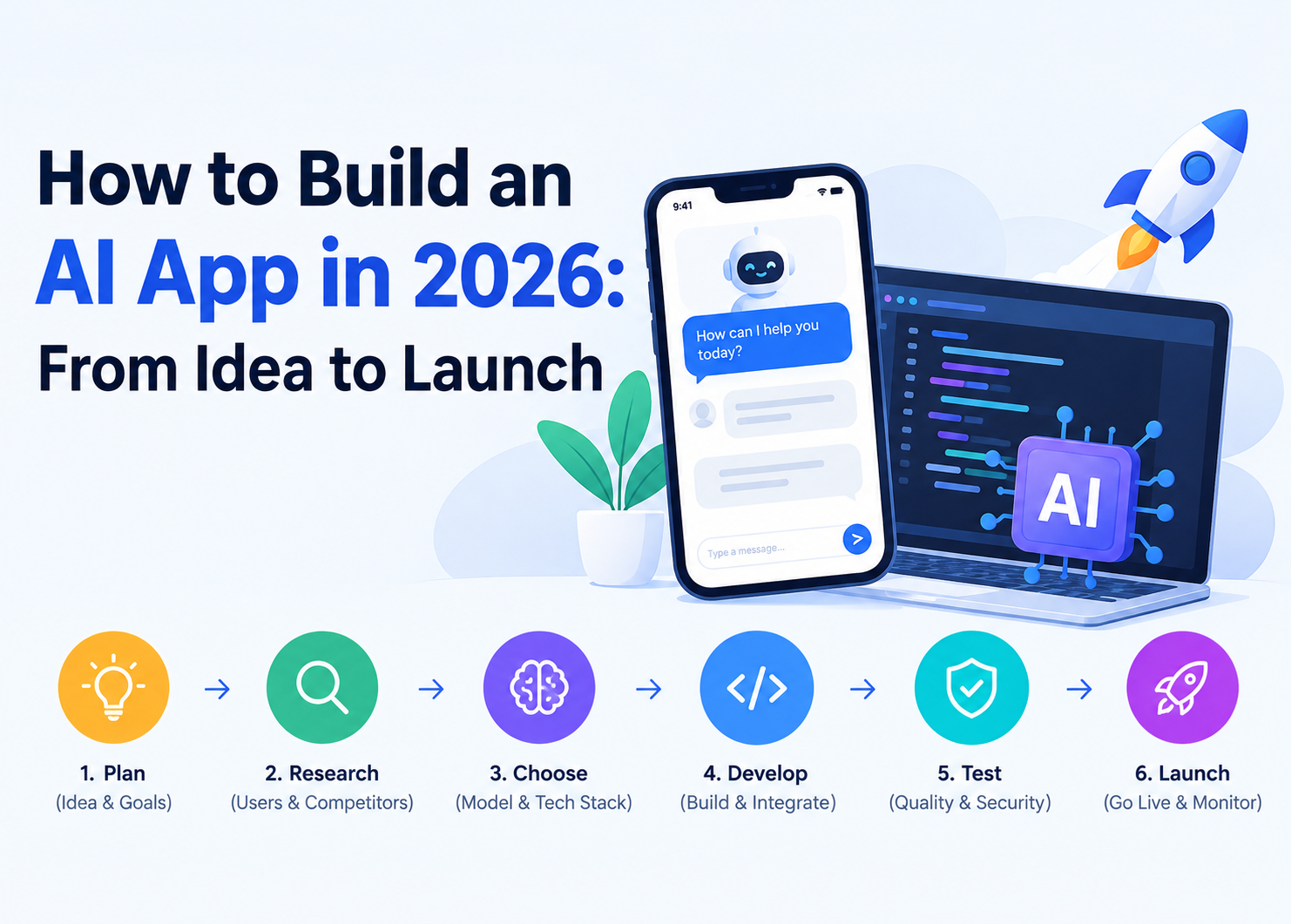
Building an AI app involves several stages. Starting with the business problem and moving through planning, development, testing, and monitoring helps reduce unnecessary development work and cost.
Start by defining what the app should do and who will use it.
Ask a few basic questions:
For example, instead of building a general AI chatbot, a company may build an AI assistant that answers questions about its own products and services.
A clear goal helps you decide which AI technology and features you actually need.
Not every app feature needs AI.
Choose AI when it can improve a task, save time, automate repetitive work, personalize an experience, or help users make better decisions.
Common AI use cases include:
Start with one or two useful AI features instead of adding AI to every part of the app.
Research helps you understand what users actually need.
Review similar apps and look at their features, pricing, reviews, and common complaints. Speak with potential users when possible and identify where existing solutions fail to meet their needs.
This research can help you decide whether your AI feature should focus on speed, accuracy, personalization, automation, or another clear user need.
The AI model is one of the most important technical decisions.
You may choose between:
You also need to select the rest of the technology stack, including the frontend framework, backend, database, cloud platform, APIs, authentication, and monitoring tools.
The best stack is not the one with the most features. It is the one that fits your app’s requirements, budget, and expected scale.
A typical AI app can follow a structure like:
User → Mobile/Web App → Backend/API → AI Model or AI API → Database/Vector Database
Each layer has a different role.
Keeping AI requests behind the backend also helps protect API keys and control access to AI services.
Once the technology stack is selected, plan how the different components will communicate.
Decide:
A clear architecture makes it easier to maintain and expand the app later.
AI features should be easy to understand.
Developers then build the main application.
Once the core application is ready, developers connect the AI system to the backend.
For an AI API, the basic flow may look like:
User Input → Backend → AI API → AI Response → Backend → App
The backend can also validate requests, apply business rules, manage authentication, limit usage, and handle errors before returning a response to the user.
AI API keys should not be exposed directly in mobile or browser-based client code.
Some applications need AI to work with private or frequently updated information.
This is where Retrieval-Augmented Generation (RAG) can help.
A RAG system can retrieve relevant information from a company’s documents or knowledge base before sending it to an AI model. This can help the model generate answers based on the information provided by the application.
A basic RAG flow looks like:
User Question → Search Relevant Data → Retrieve Information → AI Model → Answer
RAG can be useful for:
RAG commonly uses embeddings and a vector database to find information based on meaning rather than only exact keywords.
Fine-tuning may be more appropriate when the goal is to change a model’s behavior, style, or task-specific output rather than give it access to a changing knowledge base.
AI testing goes beyond checking whether buttons and screens work.
You also need to test the quality and reliability of AI responses.
Important areas include:
Teams can create a set of test prompts and expected results to compare AI performance as models or prompts change.
Human review and user feedback can also help identify problems that automated tests miss.
After testing, the application can move to production.
This includes:
A staged rollout can be useful for larger applications because it allows teams to identify problems before making the app available to everyone.
Launching the app is not the end of AI App Development.
After launch, monitor:
Prompts, models, and AI workflows may need updates as requirements change.
For larger applications, teams can also maintain different versions of prompts and models, test changes before release, and keep a rollback option if a new version causes problems.
The right AI technology depends on your use case.
| Requirement | Common Approach |
| AI chatbot | LLM API |
| Company knowledge assistant | LLM + RAG |
| Document Q&A | RAG + embeddings |
| Product recommendations | Machine learning/recommendation system |
| Image analysis | Computer vision |
| Content generation | Generative AI |
| Offline AI feature | On-device model |
| Task-specific model behavior | Fine-tuning |
| Predictive analytics | Machine learning |
There is no single AI technology that fits every application.
Several AI technologies can be used during AI App Development.
Generative AI creates new content such as text, images, audio, or code. It is commonly used for content creation, AI assistants, marketing tools, and creative applications.
Machine learning helps applications identify patterns in data and make predictions or recommendations.
It can be used for fraud detection, demand forecasting, personalization, and other data-driven features.
Natural language processing helps applications work with human language.
It supports features such as chatbots, text classification, summarization, translation, and voice-based interactions.
Computer vision allows applications to analyze images and video.
Common use cases include image classification, object detection, OCR, facial analysis, and visual inspection.
Large language models can understand and generate text and support conversational features, summarization, content generation, document analysis, and other language-based tasks.
AI APIs allow developers to add AI capabilities without building and maintaining every model from scratch.
They can be a practical choice for MVPs and applications that need common AI features.
Cloud platforms provide infrastructure for hosting applications, storing data, running models, and scaling AI workloads.
The right combination depends on your app’s features, data, budget, privacy requirements, and expected traffic.
An AI MVP is a smaller version of the product designed to test the main idea before investing in the full application.
Instead of building every planned feature, focus on the core user problem.
For example, an AI customer support MVP may include:
You can add advanced features after collecting real user feedback.
The timeline for an MVP varies by scope. A small AI feature using existing APIs may be built faster than an application that requires custom models, complex integrations, or extensive data preparation.
The cost of building an AI app depends on the features, technology, development team, and AI requirements.
The main cost areas include:
AI projects can also have costs related to:
The budget does not end when the application launches.
You may continue paying for:
For this reason, your AI app budget should include both development costs and ongoing operating costs.
The most accurate estimate comes after defining the app’s features, platforms, AI approach, integrations, and expected user volume.
The development timeline depends on the complexity of the application.
A basic app with one AI feature and existing AI APIs may take a few months from planning to launch. A larger application with multiple AI features, custom workflows, complex integrations, several platforms, or custom models can take considerably longer.
The timeline is influenced by:
A fixed timeline should only be given after the project requirements are clearly defined.
AI applications need the same basic security controls as other software, along with additional protections for AI-specific risks.
Important measures include:
Security requirements should be considered during architecture and development rather than added only before launch.
AI projects can face challenges that are different from traditional software development.
Poor or incomplete data can reduce the quality of AI results.
Solution: Clean, validate, and organize data before using it for training, retrieval, or analysis.
AI models can sometimes generate incorrect information that sounds convincing.
Solution: Use appropriate prompts, retrieval systems, validation rules, testing, and human review where needed.
Usage-based AI services can become expensive as traffic grows.
Solution: Monitor usage, set limits, cache suitable requests, and use the right model for each task.
AI applications may process sensitive user or business information.
Solution: Use secure APIs, access controls, encryption, proper data handling, and regular security testing.
An application that works with a small number of users may need a different infrastructure setup at higher traffic levels.
Solution: Plan scalable backend and cloud infrastructure from the beginning.
AI responses can vary even when users provide similar inputs.
Solution: Define expected behavior, test different scenarios, add validation, and monitor production results.
The right development team should understand both AI and application development.
Before hiring a team, check:
Ask the team to explain how they would approach your specific AI use case. A good development partner should be able to discuss the technology, architecture, risks, costs, and expected development process before development begins.
Wavy Informatics helps businesses plan, design, develop, integrate, test, and maintain AI-powered applications. Our team can work on mobile and web applications, backend systems, AI API integrations, custom AI features, and ongoing product support.
If you have an AI app idea, the first step is to define the problem, target users, core features, and AI requirements. From there, a development team can help turn the idea into a practical technical plan.
The cost depends on app complexity, AI technology, platforms, integrations, data requirements, security, and development time. Ongoing AI API, cloud, database, and maintenance costs should also be included in the budget.
A basic AI app using existing APIs may take a few months, while complex applications with custom models, RAG, multiple integrations, or several platforms can take longer.
No. Many applications can use existing AI APIs or open-source models. Custom training or fine-tuning is only needed when the project’s requirements justify it.
RAG, or Retrieval-Augmented Generation, allows an AI application to retrieve relevant information from a connected knowledge source before generating an answer. It is useful for company knowledge bases, document assistants, customer support, and similar applications.
Yes. AI features can often be added to existing applications without rebuilding the entire product. Common additions include chatbots, recommendations, document analysis, content generation, and predictive features.
Common technologies include generative AI, machine learning, natural language processing, computer vision, large language models, AI APIs, RAG, embeddings, vector databases, and cloud AI services.
Use server-side AI API integration, authentication, access controls, rate limiting, secure data handling, encryption, input validation, and regular security testing. AI-specific risks such as prompt injection should also be tested.
An AI MVP is a smaller version of an AI product that includes the core features needed to test the business idea and collect user feedback before building the complete application.
Ongoing costs can include AI API usage, cloud hosting, databases, vector storage, monitoring, maintenance, security updates, and model or prompt improvements.
Yes. Small businesses can start with focused AI features and existing AI APIs instead of building a complete custom AI system. Starting with a small MVP can help control development and operating costs.
Building an AI app in 2026 starts with a clear business problem rather than a specific AI model.
The process includes choosing the right use case, planning the architecture, selecting the right AI technology, designing the user experience, developing the application, integrating AI, testing responses, and preparing the product for real users.
You also need to plan for security, AI usage costs, monitoring, and ongoing improvements after launch.
For many projects, starting with a focused AI MVP is a practical way to test the idea before investing in a larger product. The right development approach will depend on your users, features, data, budget, and long-term goals.