Doctor Appointment App Development: Features, Cost, and Timeline
October 29, 2026 |
Reading Time: 5minutes
Long waiting rooms, missed calls, double bookings, and no-show patients are everyday problems for clinics and hospitals. Patients face the same frustration from the other side: calling during office hours, waiting on hold, and still not knowing if a slot is available. A doctor appointment app solves both problems by letting patients book, reschedule, and manage visits from their phone while giving providers a clear view of their day.
If you are planning to build one, three questions matter most: which features do you need, how much will it cost, and how long will it take? This guide answers all three in plain terms.
Why Healthcare Providers Are Investing in Appointment Apps
Patients now expect healthcare to work like every other service they use online. They book rides, order food, and shop from their phones, and they want the same convenience when seeing a doctor. For providers, an appointment app brings real operational benefits:
Fewer no-shows: Automated reminders by SMS, push notification, or email keep appointments top of mind.
Less front-desk workload: Staff spend less time on phone calls and manual scheduling.
Better schedule utilisation: Cancelled slots can be reopened instantly for other patients.
Improved patient experience: Patients get transparency, convenience, and control.
Stronger patient data: Digital records make follow-ups and continuity of care easier.
Types of Doctor Appointment Apps
Before choosing features, decide which model fits your business.
Single clinic or hospital app. Built for one provider or one hospital group. Patients book with that provider’s doctors only.
Marketplace or aggregator app. Similar to a directory, where many doctors and clinics list their availability and patients compare and book. This model needs more features, such as search, ratings, and commission handling.
Telemedicine-enabled app. Combines in-person booking with video or chat consultations. Useful for follow-ups, remote areas, and busy patients.
Must-Have Features of a Doctor Appointment App
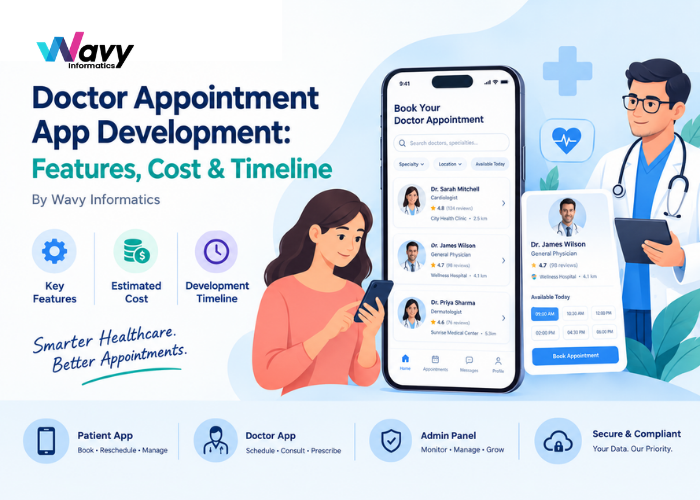
A complete solution usually has three parts: a patient app, a doctor app, and an admin panel.
Patient App Features
Easy registration and login using phone number, email, or social accounts, with OTP verification
Doctor search and filters by specialty, location, availability, fees, language, and ratings
Doctor profiles showing qualifications, experience, clinic details, and reviews
Real-time appointment booking with live slot availability
Rescheduling and cancellation without calling the clinic
Push notifications and reminders for upcoming visits
Secure payments through cards, UPI, wallets, or net banking
Appointment history and e-prescriptions stored in one place
Doctor App Features
Schedule management to set working hours, breaks, and leave days
Appointment dashboard to accept, reschedule, or cancel bookings
Patient history access to review past visits and notes
Digital prescriptions that patients can view instantly
Earnings overview to track consultations and payouts
Admin Panel Features
Doctor and clinic management, including onboarding and verification
Appointment monitoring across all providers
Payment and commission tracking
Analytics and reports on bookings, revenue, cancellations, and peak hours
Content and notification management
Advanced Features That Set Your App Apart
Once the basics are in place, these additions can make your app more competitive:
Video consultation using secure, low-latency video calling
In-app chat for quick follow-up questions
AI-powered symptom checker that suggests the right specialist
Smart scheduling that predicts no-shows and suggests optimal slot lengths
Multi-language support for wider reach
Health records integration so patients can upload reports and scans
Wearable and health-tracker sync for chronic care monitoring
Insurance and billing integration for faster claims
A good rule is to launch with the essentials, gather real user feedback, and add advanced features in later phases.
Recommended Technology Stack
The right stack depends on your goals and budget, but a common modern setup looks like this:
Mobile apps: Flutter or React Native for iOS and Android from one codebase, or native Swift and Kotlin for maximum performance
Backend: Node.js, Laravel, or Python (Django)
Database: PostgreSQL, MySQL, or MongoDB
Cloud hosting: AWS, Google Cloud, or Azure
Video calling: Twilio, Agora, or WebRTC-based solutions
Payments: Razorpay, Stripe, or PayPal depending on your region
Notifications: Firebase Cloud Messaging and SMS gateways
Cross-platform frameworks like Flutter are popular for appointment apps because they reduce both cost and development time without a big compromise in quality.
Security and Compliance Cannot Be Ignored
Healthcare apps handle sensitive personal and medical information, so security is not optional. Depending on where you operate, you may need to follow regulations such as HIPAA in the USA, GDPR in Europe and the UK, or the Privacy Act in Australia. India’s Digital Personal Data Protection Act also applies to personal data handled in the country.
At a minimum, your app should include:
End-to-end encryption for data in transit and at rest
Role-based access control
Secure authentication, ideally with two-factor options
Audit logs for who accessed what data
Regular security testing and updates
Building compliance in from the start is far cheaper than fixing it after launch.
How Much Does It Cost to Build a Doctor Appointment App?
There is no single price, because the cost depends on features, platforms, design, and the team you hire. The table below gives realistic ballpark ranges. Treat them as estimates, not quotes.
App Level
What It Includes
Estimated Cost (USD)
Basic MVP
Patient app, doctor profiles, booking, notifications, simple admin panel
$8,000 to $15,000
Mid-Level
Everything above plus payments, doctor app, chat, e-prescriptions, analytics
$15,000 to $35,000
Advanced
Video consultation, AI features, integrations, multi-language, high security
$35,000 to $70,000+
What Affects the Final Cost?
Number of platforms: iOS, Android, and web each add effort. Cross-platform development lowers this.
Feature complexity: Video calls, AI, and third-party integrations cost more than simple booking.
UI/UX design: Custom, polished design takes more time than template-based design.
Compliance requirements: Meeting HIPAA or GDPR standards adds development and testing work.
Team location: Hourly rates differ widely between regions. Working with an experienced offshore team in India can reduce costs significantly without lowering quality.
Post-launch support: Maintenance, updates, and hosting usually cost 15 to 20 percent of the initial build per year.
How Long Does Development Take?
A typical timeline looks like this:
Phase
Duration
Discovery and planning
1 to 2 weeks
UI/UX design
2 to 4 weeks
Development (patient app, doctor app, backend, admin)
6 to 16 weeks
Testing and quality assurance
2 to 4 weeks
Deployment and launch
1 to 2 weeks
In total, a basic MVP can be ready in about 2 to 3 months, a mid-level app in 3 to 5 months, and an advanced platform in 6 to 9 months or more. Clear requirements and quick feedback during development are the best ways to avoid delays.
Common Mistakes to Avoid
Building too many features at once. Start with an MVP and grow based on real usage.
Ignoring the doctor’s experience. If the doctor app is hard to use, adoption will fail no matter how good the patient app is.
Skipping compliance planning. Retrofitting security is expensive and risky.
Choosing the cheapest developer. Low quotes often hide poor code quality and weak support.
Not planning for scale. Your architecture should handle growth in doctors, patients, and bookings.
Neglecting marketing. Even a great app needs a plan to onboard doctors and attract patients.
How to Choose the Right Development Partner
The team you pick will shape the quality of your product. Look for a company that:
Has proven experience in healthcare or booking-based apps
Shares a portfolio and client references you can verify
Offers clear communication and regular progress updates
Follows secure development practices
Provides post-launch support and maintenance
Is transparent about timelines and pricing
Ask for a discovery session before signing anything. A good partner will challenge your assumptions and help you prioritise features rather than simply agreeing to everything.
Final Thoughts
A well-built doctor appointment app can cut administrative work, reduce no-shows, and give patients the convenient experience they now expect. The key is to start with a focused set of features, plan for security from day one, and work with a team that understands both technology and healthcare.
At Wavy Informatics, we build scalable, secure web and mobile apps for healthcare, using modern AI-assisted workflows to deliver faster and more cost-efficiently. We have a ready-to-launch Doctor App solution that can be customised to your needs, which can shorten your time to market considerably.