
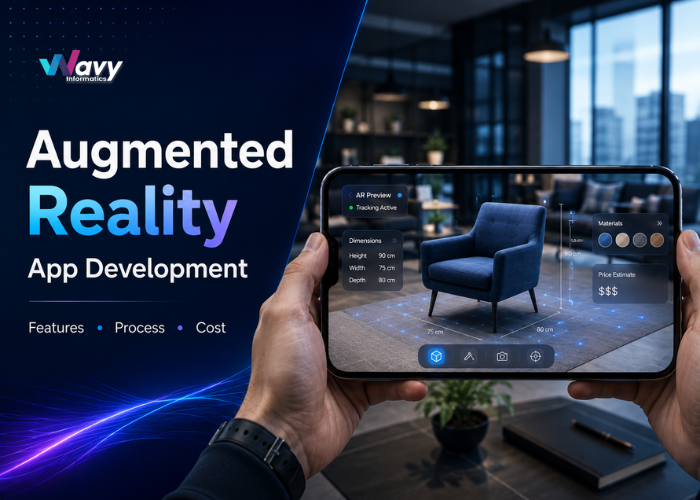


Picture a customer standing in their living room, holding up a phone, and seeing exactly how a new sofa will look before they buy it. Or a student pointing a tablet at a textbook page and watching a 3D model of the human heart appear on the screen. This is what augmented reality app development makes possible. It blends digital content, like images, animations, and 3D objects, with the world a person can already see through a camera.
Businesses are increasingly using AR to improve shopping, training, learning, and decision-making. From virtual furniture placement and healthcare training to real estate walkthroughs, AR is already delivering practical business solutions.
This article covers augmented reality app development, including key features, how AR apps work, development stages, technologies, use cases, costs, and what to consider when choosing an AR development partner.
Augmented reality app development is the process of building mobile or web apps that place digital content on top of the physical world, viewed through a phone camera, tablet, or headset. The user still sees their surroundings. The app just adds something on top of it, like a 3D product, a label, or an animation.
People often mix up AR with two other terms, so here is the difference:
Many AR business applications can run on supported smartphones, making AR more accessible without dedicated hardware.
An AR app follows a fairly simple sequence of steps behind the scenes, even though what the user sees feels like magic.
Take a furniture app as an example. A shopper opens the app, points the camera at their living room floor, and the app detects the flat surface. A 3D sofa model then appears on that spot, sized to scale. The shopper can walk around the room and see how it looks from different angles before deciding to buy it.
Companies are not adding AR because it looks impressive. They are adding it because it solves problems that regular apps and websites cannot.
Each of these points ties back to one thing: AR removes the gap between imagining a product and understanding what it will look and feel like once it is in front of the buyer.
AR is not tied to one industry. Different businesses use it to solve very different problems.
Shoppers can try on clothes, glasses, or makeup using their camera, or place furniture and decor items inside their own homes before buying. This cuts down on returns and builds trust in online purchases.
Buyers can take a 3D walkthrough of a property, view interactive floor plans, or see how a space would look with different finishes, all without visiting the site in person.
Medical students can study 3D anatomy models instead of only textbook diagrams. Hospitals use AR for staff training and to explain procedures to patients in a way that is easier to follow.
Students can view 3D models of planets, machines, or historical sites right from a classroom or a phone screen, which makes lessons easier to remember.
Workers can use AR to see instructions overlaid on real equipment, which helps with maintenance tasks and reduces training time for new employees.
Buyers can see a car’s color, interior, and add-on options in 3D before visiting a showroom, and dealers can use AR for product walkthroughs.
Location-based games and interactive experiences keep users engaged for longer sessions and often bring people back to the app repeatedly.
Not every AR app needs every feature listed below. The right set depends on what problem the app is solving. Here are the features most AR apps draw from:
A retail try-on app, for example, mostly needs face tracking, product customization, and social sharing. A training app for factory workers is more likely to need object recognition and step-by-step overlays, but not payment integration at all.
Building an AR app follows a structured path. Skipping steps here usually leads to a slower launch and more rework later.
1. Idea and Requirement Analysis: The team studies the business goal and turns it into a written plan. This sets expectations before any design or code work begins.
2. Market and Competitor Research: The team looks at similar apps to understand what works, what to avoid, and what would make the app stand out.
3. AR Use Case Definition: The exact AR interactions are mapped out, such as what gets tracked, what appears on screen, and how the user interacts with it.
4. UX/UI Design: Designers create the screens and flow of the app, keeping the AR camera view and controls easy to use on a small screen.
5. Technology Selection: The development team picks the right AR framework, platform, and tools based on the project’s goals and budget.
6. 3D Asset and AR Development: 3D models are built or optimized, and the core AR functions, like surface detection or tracking, are developed and tested.
7. Backend and API Development: The server side of the app is built, covering things like user accounts, data storage, and any third-party connections.
8. Testing on Real Devices: The app is tested on different phones and tablets, since AR performance can vary a lot between devices.
9. Deployment: The finished app is submitted to the App Store, Google Play, or set up as a web-based AR experience.
10. Maintenance and Updates: After launch, the app is monitored for bugs, and updates are made as new devices or operating system versions come out.
Each step feeds into the next. A rushed research phase, for example, often shows up later as a design that does not match what users need.
Several tools and frameworks are available for AR app development, and the right pick depends on the project.
Choosing native development with ARKit or ARCore usually gives the smoothest performance on a single platform. Game engines like Unity work well when the app needs advanced 3D graphics or will later expand into VR. WebAR is a good fit for short campaigns where users should not have to install anything. There is no single best choice here. It depends on the platform, the AR experience needed, the budget, and how the app needs to perform.
This is usually the first question business owners ask, and it is a fair one. Below is a general guide. Treat these as estimates, not fixed prices, since every project is different.
| AR App Type | Estimated Cost | Typical Complexity |
| Basic AR App | $8,000 – $20,000 | Low |
| Medium-Complexity AR App | $20,000 – $50,000 | Medium |
| Advanced AR App | $50,000 – $120,000+ | High |
( These are broad planning estimates. Actual AR app development costs vary based on features, platforms, 3D assets, integrations, testing requirements, and development location. )
Several factors can change the overall cost of an AR app:
Have an AR app idea? Discuss Your AR App Idea with our team and get a clear picture of what your project would involve.
Timelines follow a similar pattern to cost, since both depend on scope.
These are general ranges. A project with a clear, well-documented scope tends to move faster than one where requirements keep changing during development.
Picking the right team matters more than picking the cheapest quote. Here is what to check before you sign on with anyone.
Planning an AR app? Get an AR App Development Estimate based on your features, platform choice, and project scope.
Wavy Informatics helps businesses plan and develop custom mobile and web applications based on their business goals and user requirements. The team works across Android and iOS development, cross-platform applications, UI/UX design, backend development, and API integrations.
For an AR project, the process starts by understanding the use case, target users, required platform, core features, and expected budget. This helps determine which AR capabilities are necessary and which features can be added later.
Whether you are exploring an AR product idea or looking to add AR capabilities to an existing application, Wavy Informatics can help define the project scope, development approach, timeline, and estimated investment..
Q1. What is augmented reality app development?
Augmented reality app development is the process of building apps that add digital content, like images, labels, or 3D objects, on top of the real world through a phone or tablet camera. Users still see their actual surroundings, with digital elements placed on top.
Q2. How much does it cost to develop an AR app?
A basic AR app usually costs between $8,000 and $20,000. Medium-complexity apps run from $20,000 to $50,000, and advanced AR apps can cost $50,000 or more, depending on features, platforms, and 3D content.
Q3. How long does it take to build an AR app?
A basic app can take 6 to 10 weeks. A medium-complexity app usually takes 3 to 5 months. Advanced AR platforms can take 6 months or longer, depending on scope.
Q4. What technologies are used to build AR apps?
Common technologies include ARKit for iOS, ARCore for Android, Unity and Unreal Engine for advanced 3D graphics, and WebAR for browser-based AR experiences that do not need an app download.
Q5. Can AR apps work on both Android and iOS?
Yes. AR apps can be built for both platforms using ARKit for iOS and ARCore for Android, or through a cross-platform engine like Unity that supports both operating systems from a single codebase.
Q6: Is AR app development suitable for e-commerce businesses?
Yes. Many e-commerce brands use AR for virtual try-ons and product placement, which helps shoppers make decisions with more confidence and can reduce product returns.
Q7: Can an existing mobile app be converted into an AR app?
In many cases, yes. AR features can be added to an existing app rather than building a new one from scratch, though the amount of work depends on how the current app is built.
Q8: How do I choose an AR app development company?
Check their AR project experience, past portfolio, technical skills with tools like ARKit or ARCore, testing process, and how clearly they explain pricing and post-launch support before you commit to a team.
Wavy Informatics can help you plan, design, develop, test, and launch a custom AR app built around your business needs. Whether you are starting with a rough idea or a detailed brief, the team can walk you through the right features, platform, and development approach for your project.
Talk to Our AR App Development Team
Augmented reality is no longer something only large tech companies use. Retail stores, clinics, schools, real estate agencies, and manufacturing plants are all using it to solve day-to-day problems. If you are thinking about augmented reality app development for your business, the best next step is to define your use case clearly, understand what features you need, and talk to a team that can guide you through the process, feature by feature, and cost by cost.