
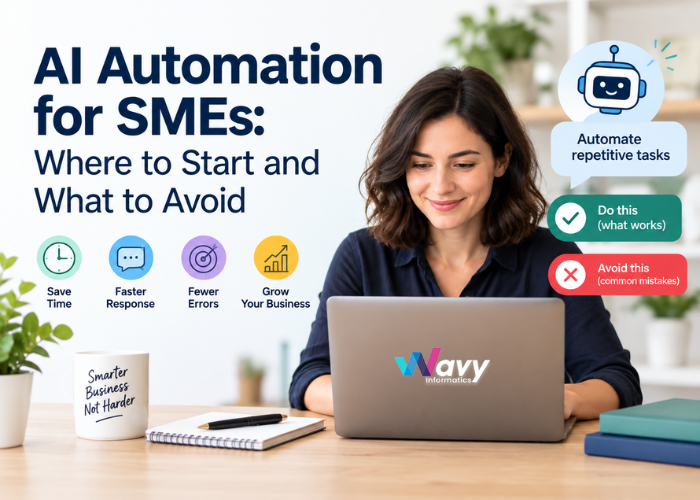


Most small and mid-sized businesses do not have a shortage of work. They have a shortage of time. Invoices need chasing, enquiries need replies, spreadsheets need updating, and the same questions arrive in the inbox every single day. AI automation promises to take much of that load off your team, but for many SMEs the hardest part is simply knowing where to begin.
The good news is that you do not need a huge budget or a dedicated data science team to get real value from AI. You do need a clear plan. This guide explains what AI automation actually is, the best places for an SME to start, and the mistakes that cause most projects to stall.
Traditional automation follows fixed rules: if this happens, do that. It works well for predictable tasks, such as sending a confirmation email after a form is submitted.
AI automation goes a step further. It can read and understand text, classify requests, extract data from documents, answer questions in natural language, and make suggestions based on patterns. That means it can handle work that used to need a human to read, interpret, and decide.
In practice, most SME projects combine both: simple rules for the predictable parts and AI for the parts that involve language, documents, or judgement.
AI tools have become far more affordable and easier to connect to the software you already use. Tasks that once needed custom enterprise systems can now be built with ready-made AI services and a few well-designed integrations.
For SMEs, the benefits are very practical:
The smartest first projects are small, clear, and measurable. These five areas work well for most SMEs.
An AI chatbot or email assistant can answer common questions about pricing, opening hours, order status, or bookings. It can also collect details and pass complex cases to a human. This is often the quickest win because the questions are repetitive and the benefit is visible straight away.
AI can qualify new enquiries, tag them by interest, add them to your CRM, and send a personalised first reply within seconds. Fast follow-up is one of the biggest factors in winning new business, and automation makes it consistent.
If your team spends hours typing data from invoices, receipts, forms, or contracts into other systems, this is a strong candidate. AI can read the documents, extract the key fields, and send them to your accounting or inventory software for a person to approve.
Booking, rescheduling, and reminder messages are classic time sinks. Automation can handle the whole cycle and cut no-shows, which matters for clinics, salons, service businesses, and consultants.
Weekly sales summaries, stock alerts, approval requests, and onboarding checklists can all be automated. Instead of someone compiling a report every Monday, it arrives in the inbox ready to read.
Follow this order and you will avoid most of the common problems.
Step 1: List your repetitive tasks. Ask each team member what they do over and over each week. Note how long each task takes and how often it happens.
Step 2: Pick one process, not ten. Choose something frequent, rule-based enough to describe clearly, and low in risk if the AI makes a small mistake.
Step 3: Define success before you build. Decide what you want to measure, such as hours saved per week, faster response time, or fewer errors. Without a target, you cannot tell whether it worked.
Step 4: Map the current process. Write down each step as it happens today. Automating a messy process only makes the mess faster, so fix obvious problems first.
Step 5: Start with a pilot. Run the automation with a small group or a single type of request. Keep a human in the loop to review outputs.
Step 6: Review, improve, and then expand. Use the pilot results to refine the system. Once it works reliably, extend it to similar tasks.
Big-bang projects often collapse under their own weight. They take months, cost more than planned, and confuse the team. Start small, prove the value, and build from there.
It is tempting to pick a trendy AI product and then look for something to do with it. Reverse that. Identify the business problem first, then choose the simplest tool that solves it. Sometimes a basic workflow automation is enough and AI is not even needed.
AI is only as good as the information it works with. If your customer records are out of date, duplicated, or scattered across spreadsheets, results will suffer. A little data clean-up before you start saves a lot of frustration later.
AI can make mistakes, and some of them will be confident-sounding ones. For anything involving money, legal commitments, medical information, or sensitive customer issues, keep a person in the approval step. Reduce human review gradually as accuracy is proven.
Customer and business data should never be fed into tools without understanding where it goes and how it is stored. Check data handling policies, use secure integrations, restrict access by role, and make sure you comply with the privacy laws that apply to you, such as GDPR in Europe, the Privacy Act in Australia, or relevant Indian data protection rules.
Staff may worry that automation will replace them. Explain early that the goal is to remove boring tasks, not jobs. Train people to work with the new tools, ask for their feedback, and involve them in choosing what to automate. Adoption depends on trust.
If you never track results, you will not know whether the project is paying off. Review your chosen metrics regularly and be ready to adjust or retire automations that are not delivering.
A quick, low-cost setup can work well for a pilot, but make sure it can grow with you. Check that it integrates with your CRM, accounting software, website, and other systems, and that you are not locked into something that will be hard to change later.
SMEs generally have three options:
Many businesses begin with ready-made tools, then move to custom solutions once they know exactly what they need.
Keep your calculation simple. Estimate the hours saved each week, multiply by the cost of that time, and add any gains from faster response, fewer errors, or extra sales. Then compare this against the cost of the tools, setup, and ongoing maintenance. For a well-chosen first project, many SMEs can see a clear return within a few months.
AI automation uses artificial intelligence to handle repetitive tasks that normally need human reading or judgement, such as answering customer questions, sorting emails, extracting data from invoices, or qualifying leads. Unlike basic rule-based automation, AI can understand language and documents, so it can handle messier, more varied work.
Start by listing the repetitive tasks your team does every week, then pick one that is frequent, clearly defined, and low risk. Run a small pilot, measure the time saved, and expand only after it works reliably.
Costs vary widely. Ready-made tools such as chatbots or email assistants can start from a small monthly subscription, while custom AI solutions with deep system integration need a larger one-time build cost plus ongoing maintenance. A focused pilot is usually the most affordable way to begin.
The best first tasks are customer support enquiries, lead capture and follow-up, invoice and document data entry, appointment scheduling, and regular reporting. These are repetitive, easy to measure, and quick to show results.
For most SMEs, the goal is to remove repetitive work, not people. Staff are freed up for tasks that need creativity, empathy, and decision-making, such as building customer relationships and solving complex problems. Involving your team early helps adoption.
Not always. Many off-the-shelf and no-code tools let non-technical users set up basic automations. For custom workflows, integrations with your existing software, or sensitive data, working with an experienced development partner is usually safer and faster.
It can be, if you choose tools carefully. Check how a provider stores and uses your data, use secure integrations, limit access by role, and follow the privacy laws that apply to you, such as GDPR or the Australian Privacy Act. Avoid pasting confidential information into tools you do not fully understand.
Traditional automation follows fixed “if this, then that” rules and works best for predictable tasks. AI automation can interpret text, documents, and requests, and can adapt to variations. Most real business workflows use a mix of both.
A small, well-chosen pilot can show results within a few weeks, and many businesses see a clear return within a few months. Bigger or more complex projects take longer, which is why starting small is recommended.
The most common mistakes are trying to automate everything at once, choosing a tool before defining the problem, using poor-quality data, removing human review too early, ignoring privacy and security, and not measuring results. Avoiding these gives your project a much better chance of success.
AI automation is not about replacing your team or chasing the latest trend. It is about removing the repetitive work that slows your business down. The SMEs that get the best results pick one clear problem, start with a small pilot, protect their data, keep humans involved, and measure what happens.
At Wavy Informatics, we help startups and growing businesses build smart AI bots and automation systems that fit their real workflows, from customer support assistants to custom integrations with the tools they already use. If you are not sure where to begin, we can help you identify the best first project and build it step by step.
Want to automate the busywork in your business? Book a free consultation with our team and let us find your quickest win.